You finished a song and you are ready to put it on YouTube, or it is already there, and you want to get the disclosure right. In YouTube Studio, a setting called AI use asks whether generative AI was part of the work.
That question can feel heavier than it is. It is not a score on the song, and it is not a penalty. YouTube says that disclosing AI content, by itself, will not limit a video's audience or its eligibility to earn money. Kant treated truthfulness as a duty you owe other people, not a tactic. A listener who presses play deserves to know how the track was made.
The Studio screen gives you only two answers: Yes or No. Here is when to use them, then the clicks.
When to disclose
YouTube requires creators to disclose AI-generated or altered content that seems realistic. In Studio, the AI use heading asks: "Was AI used to generate or edit your content in any of the following ways?" One of the four lines is "Create music that's the main focus of the video." If that describes your upload, choose Yes.
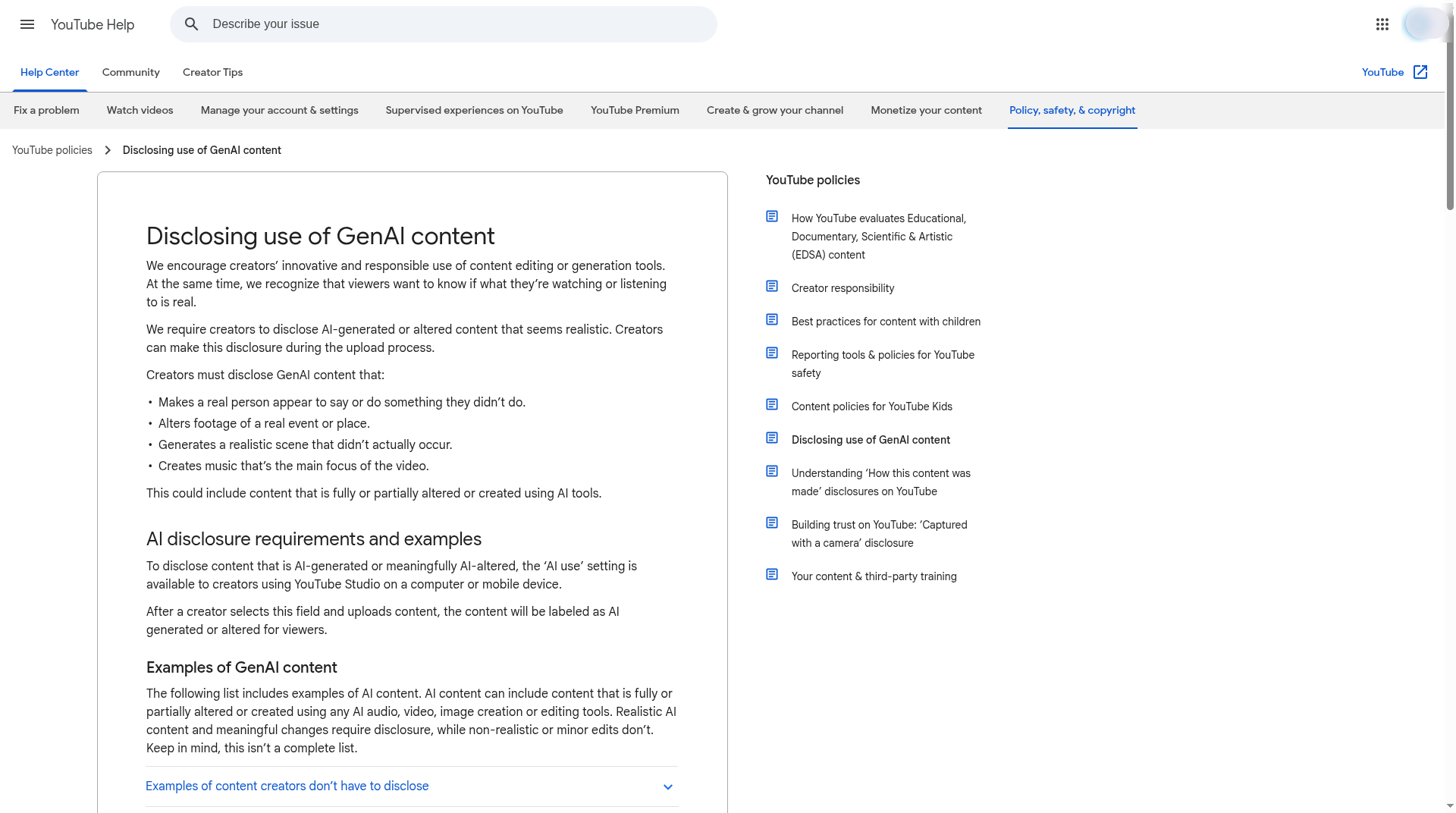
Studio does not ask you to pick Fully Gen AI, Partly Gen AI, or No Gen AI. Those three names appear on YouTube's separate music help page, as guidance. They can still help you decide Yes or No:
- If a generator made the track, or made a meaningful part of it (a bassline, a vocal, a melody you then recorded), that guidance calls it Fully or Partly Gen AI. For a video whose main focus is that music, the Studio answer is Yes.
- If you only used standard pitch-correction such as Auto-Tune, or automated AI mastering to adjust equalization, compression, and sonic balance, that guidance calls it No Gen AI. The Studio answer is No.
As a rough map to PLAIGROUND's labels, Fully AI and AI-assisted usually mean Yes on YouTube. Human, with only mastering or minor pitch-correction, usually means No. The match breaks when a human-performed song has an AI-generated music video: YouTube's question also covers visuals, so that upload is still a Yes, even if the song itself is Human on PLAIGROUND.
This is not a claim that PLAIGROUND, or any other distributor, already passes those tags to YouTube. If you distribute through someone else, ask whether they send a Gen AI declaration. See how to label AI music for more examples of PLAIGROUND's three tags.
How to mark AI use in YouTube Studio
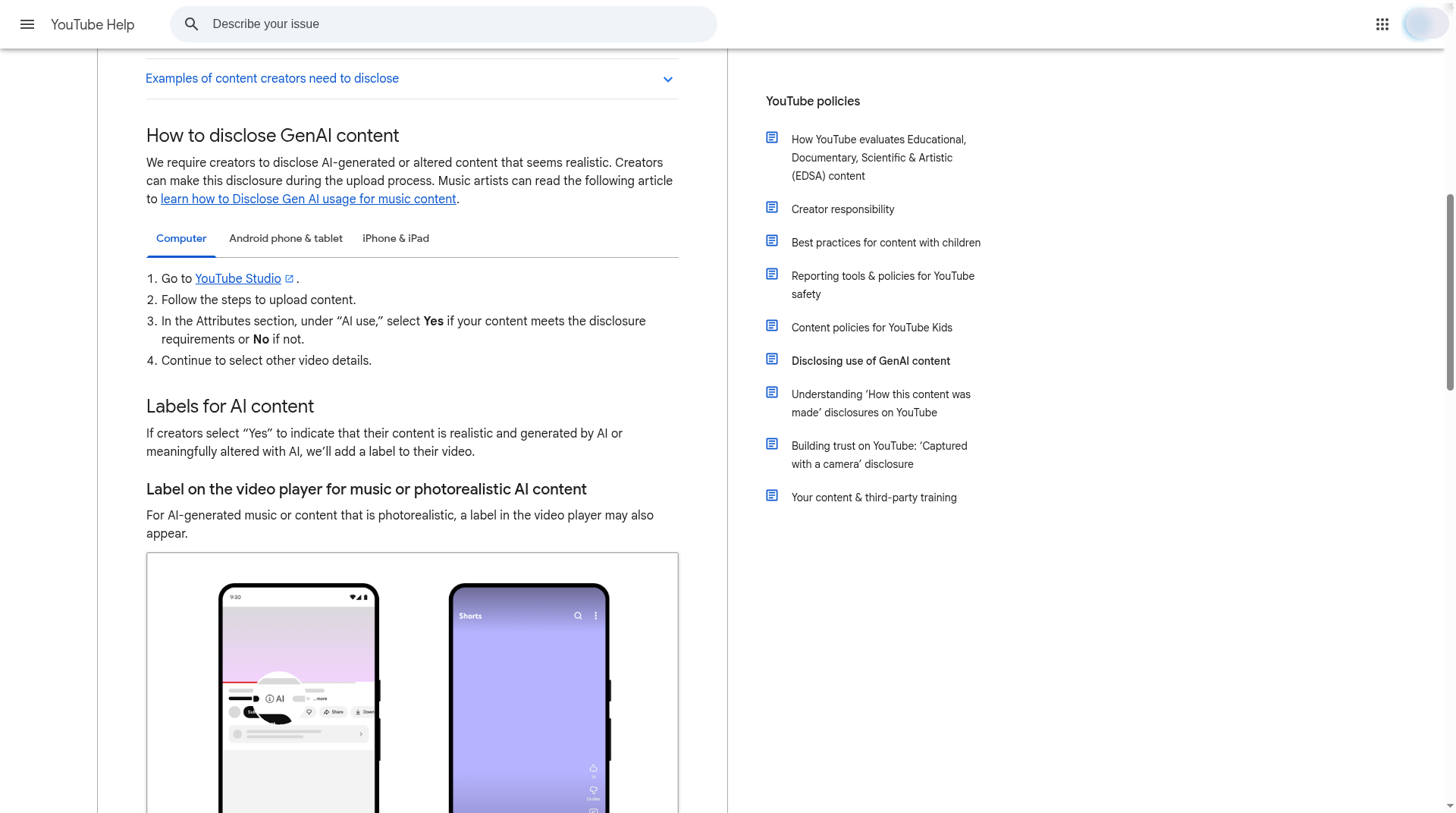
The screenshots below show how to do this on a video already in your channel. YouTube's help page also describes setting AI use during a new upload (it calls that the Attributes section). The Yes or No choice is the same.
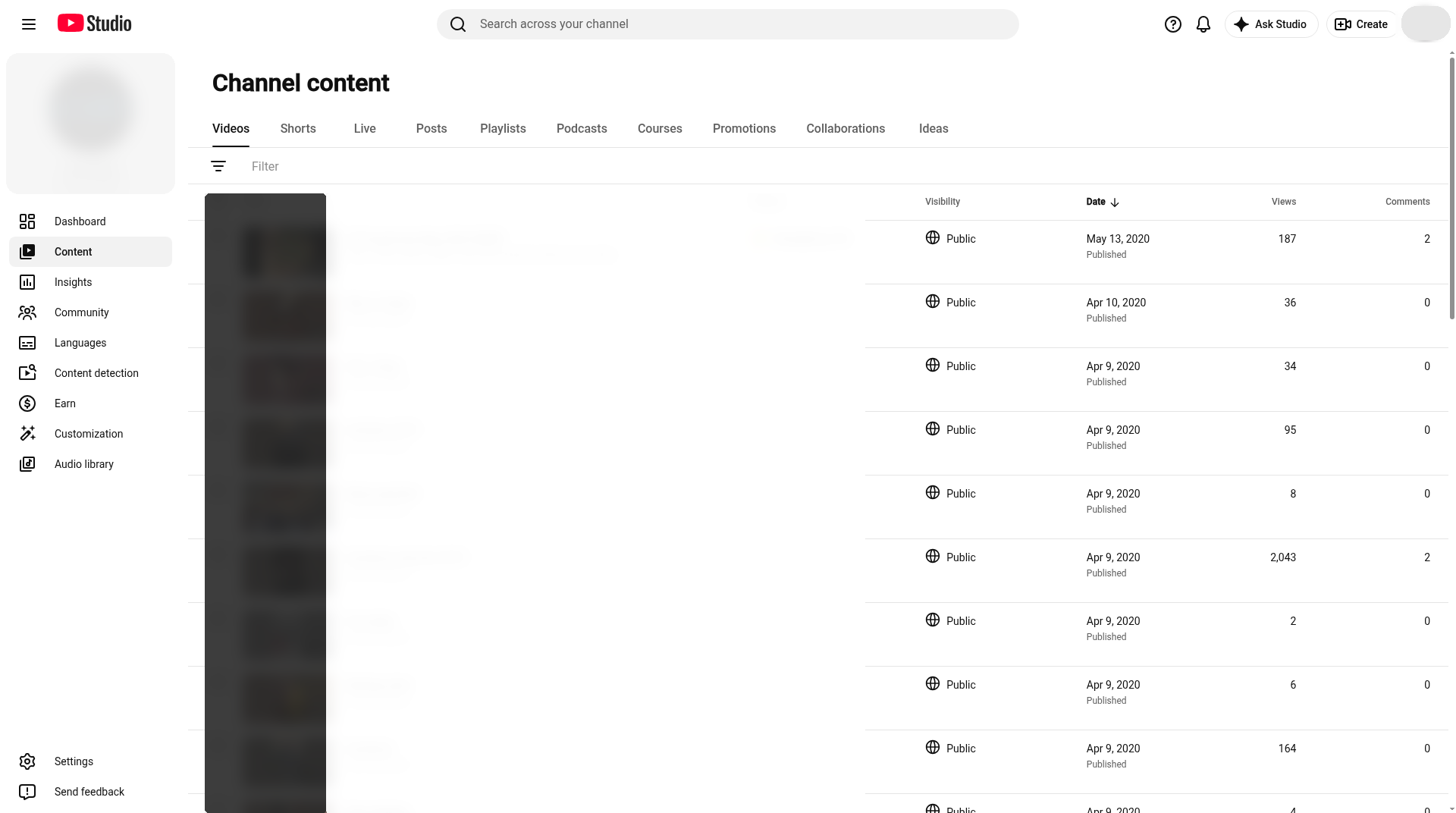
Step 1. Open YouTube Studio and click Content. You will land on a page titled Channel content.
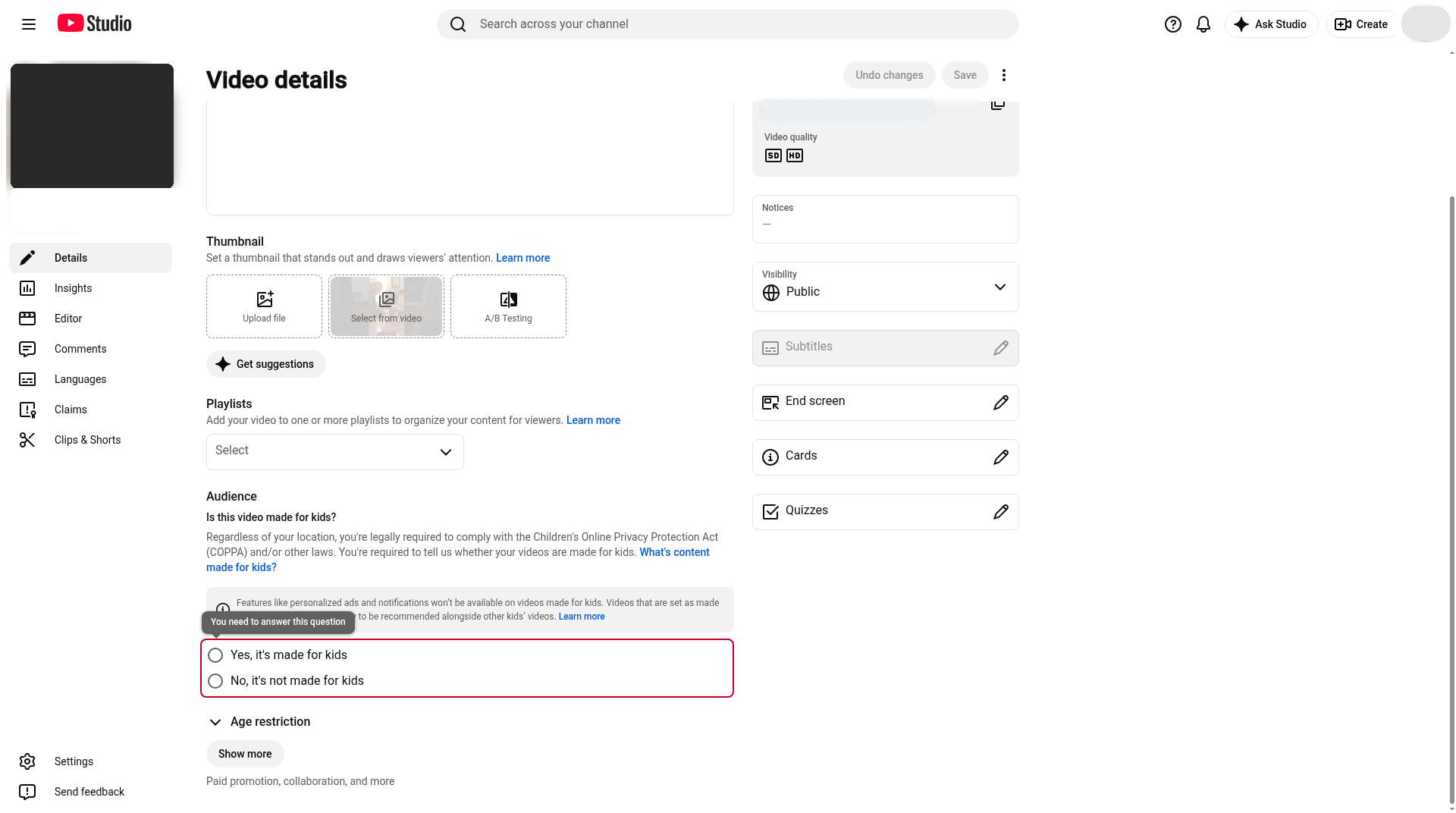
Step 2. Click the video you want to label. That opens the Video details page, with Details selected on the left.
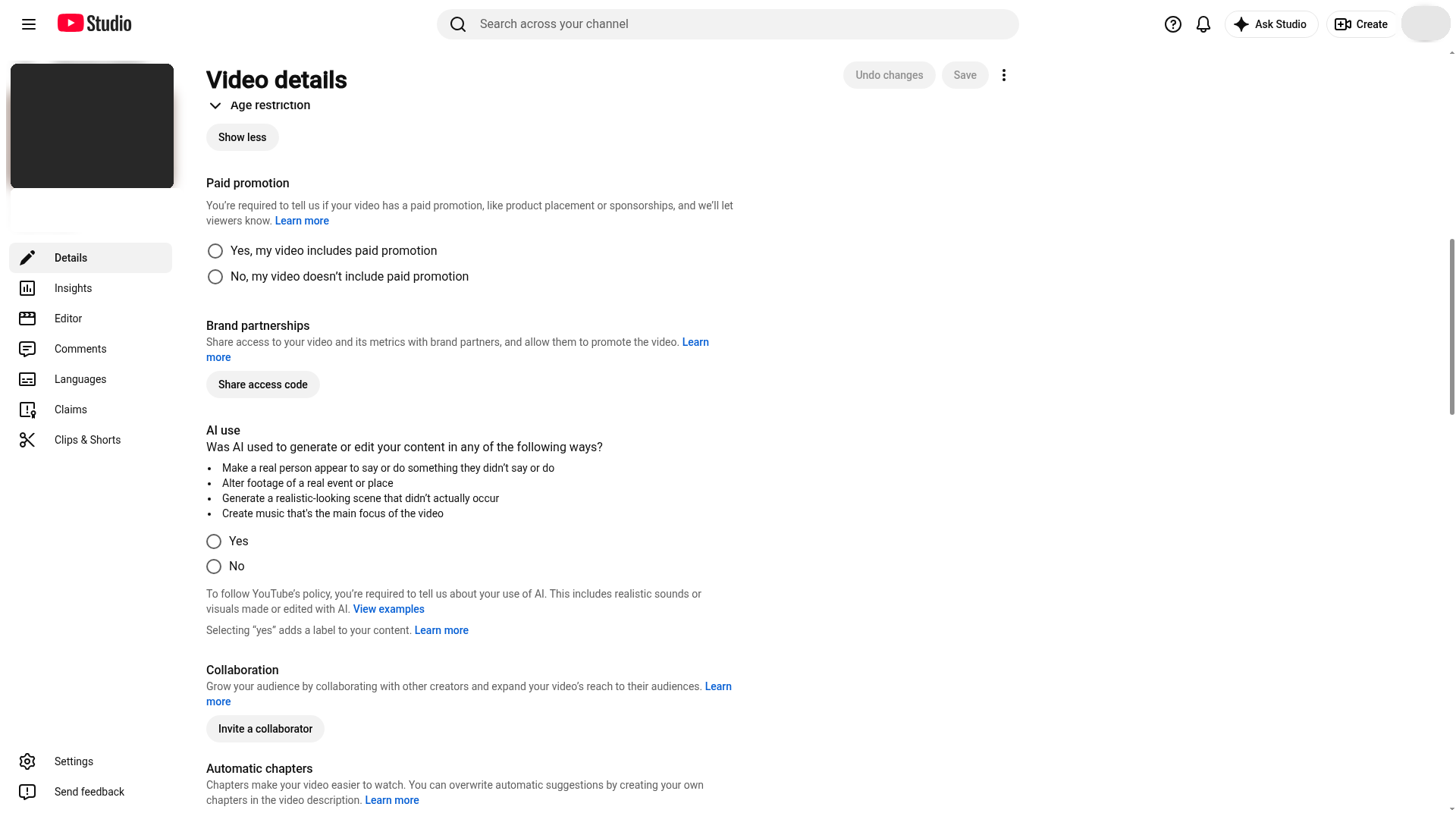
Step 3. Click Show more. Scroll to Age restriction. Under it, click Show more. The hint under that button says "Paid promotion, collaboration, and more."
Step 4. Answer the AI use question. After you click Show more, the button becomes Show less, and you will see Paid promotion, Brand partnerships, then AI use. YouTube asks:
Was AI used to generate or edit your content in any of the following ways?
- Make a real person appear to say or do something they didn't say or do
- Alter footage of a real event or place
- Generate a realistic-looking scene that didn't actually occur
- Create music that's the main focus of the video
Choose Yes or No. The page also says: "To follow YouTube's policy, you're required to tell us about your use of AI. This includes realistic sounds or visuals made or edited with AI." And: "Selecting 'yes' adds a label to your content." Then save your changes.
How the label looks to viewers
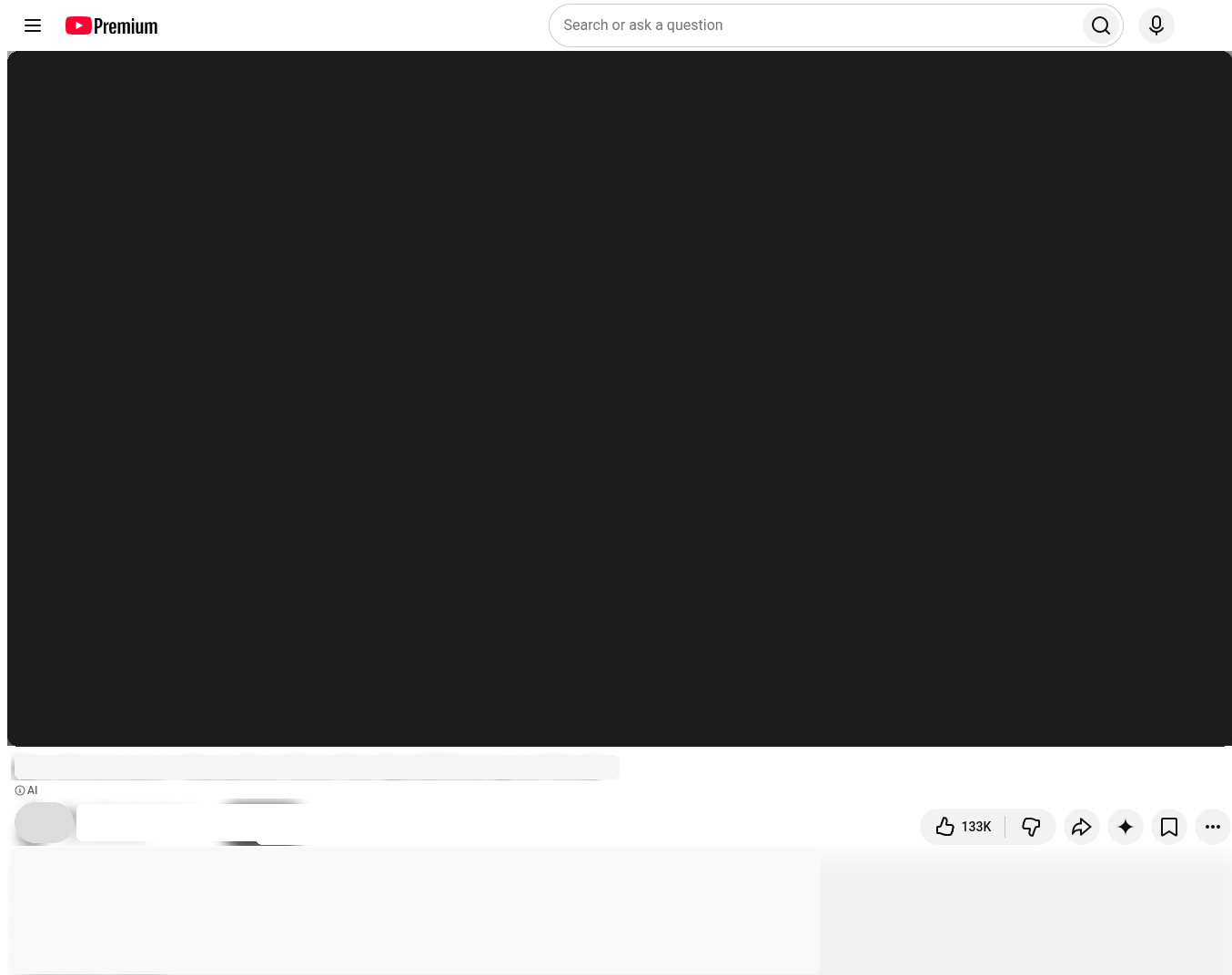
If you select Yes, YouTube adds a label. Under the video title, viewers see a small badge: an info icon and the letters AI.
In the expanded description, a section called How this was made says Made with AI, with the line: "Sounds or visuals were altered or fully generated."

YouTube's help page also says that for AI-generated music, or for photorealistic AI content, a label may appear in the video player as well.
Spotify, and a standard still being written
On Spotify, AI credits are optional and in beta. They show only on mobile, in Song credits and Now Playing, not on artist profiles or as a track-level label. They apply to a role such as lyrics, vocals, or production. You add them through your distributor, and only certain distributors support them so far. Ask yours whether they can send those credits. Do not assume they already do.
For how YouTube Music sorts AI tracks, see YouTube Music drew the line.
DDEX is working on a Generative AI Declaration Standard (GAI-D). A committee draft is now moving through peer review, with publication expected in early 2027. The honest habit matters more than any one checkbox: say what a human made, and say what the machine made.
See Can my AI song be published?
Check the box. Pick the honest answer. Then let the song stand on its own.
FAQ
If I disclose that my music is AI-generated, will it limit my reach or my ability to earn money?
YouTube says that disclosing AI content alone will not limit a video's audience or impact its eligibility to earn money. That is not a promise about how the video will perform.
I only used AI mastering. Do I have to choose Yes?
On YouTube's music help page, automated AI mastering that adjusts the final equalization, compression, and sonic balance of a track is an example of No Gen AI. Standard pitch-correction such as Auto-Tune, used to correct minor tuning in a live vocal, is also No Gen AI. Those are not Studio options, but they are a reason to choose No. If generative AI made the music itself, or a meaningful part of it, and that music is the main focus of the video, choose Yes.
Where is the Fully Gen AI / Partly Gen AI / No Gen AI picker in YouTube Studio?
It is not there. Studio shows a Yes or No choice under AI use, after you click Show more on the Video details page. The three-level names are on YouTube's music help page, and in DDEX or CSV delivery for music partners. If you release through a distributor, ask which path they use.
Does PLAIGROUND send my AI label to YouTube or my AI credits to Spotify?
Do not assume that. Spotify says AI credits appear only when a distributor sends them, and only certain distributors support that feature so far. Ask your distributor what they can send, and what they need you to mark.
Is this legal advice?
No. This guide is general information for artists, written from public help pages, a DDEX announcement, and YouTube Studio screens. It is not a lawyer's opinion about your song, your contract, or your YouTube account.
Sources
- Disclosing use of GenAI content (YouTube Help; disclosure when AI-made music is the main focus; disclosing alone will not limit audience or eligibility to earn money)
- Disclose Gen AI usage for music content (YouTube Help; Fully Gen AI / Partly Gen AI / No Gen AI as partner-delivery guidance, including AI mastering as No Gen AI)
- AI credits on Spotify (Spotify for Artists; credits appear when a distributor sends them)
- DDEX Announces ElevenLabs as First AI Company to Join Membership (DDEX, November 5, 2026; Generative AI Declaration Standard (GAI-D) moving through peer review before publication in early 2027)